This guide explains how to access the light strips in the Touchstone Sideline 50" Outdoor/Indoor Electric fireplace in case they need to be replaced.
Models Affected:
- 80017 – Sideline (Outdoor/Indoor) 50"
Tools Needed:
- Philips head screwdriver
- Instructions:
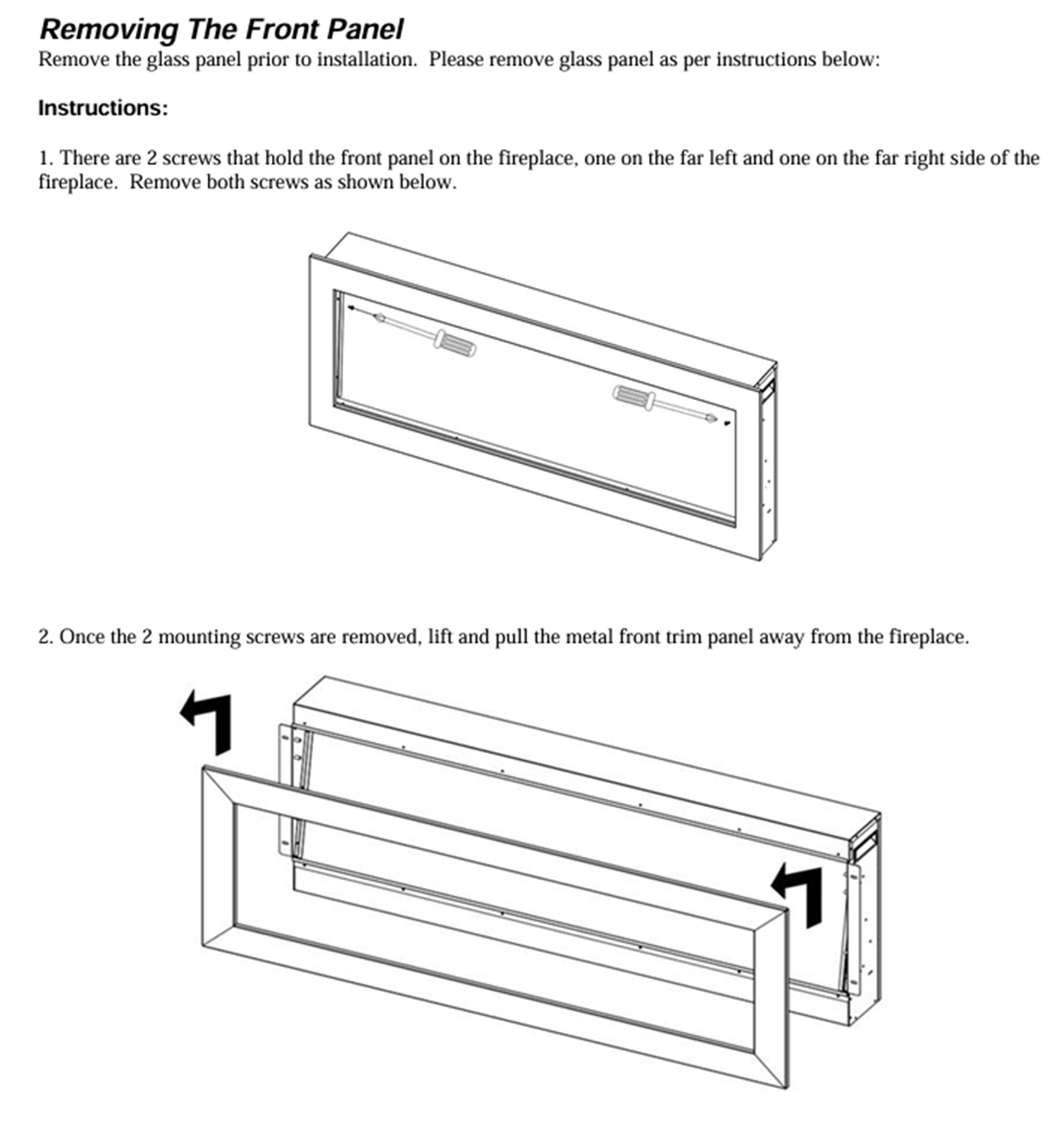
3. Once the glass panel is removed, remove the firelog/glass crystals and then the crystal strip.
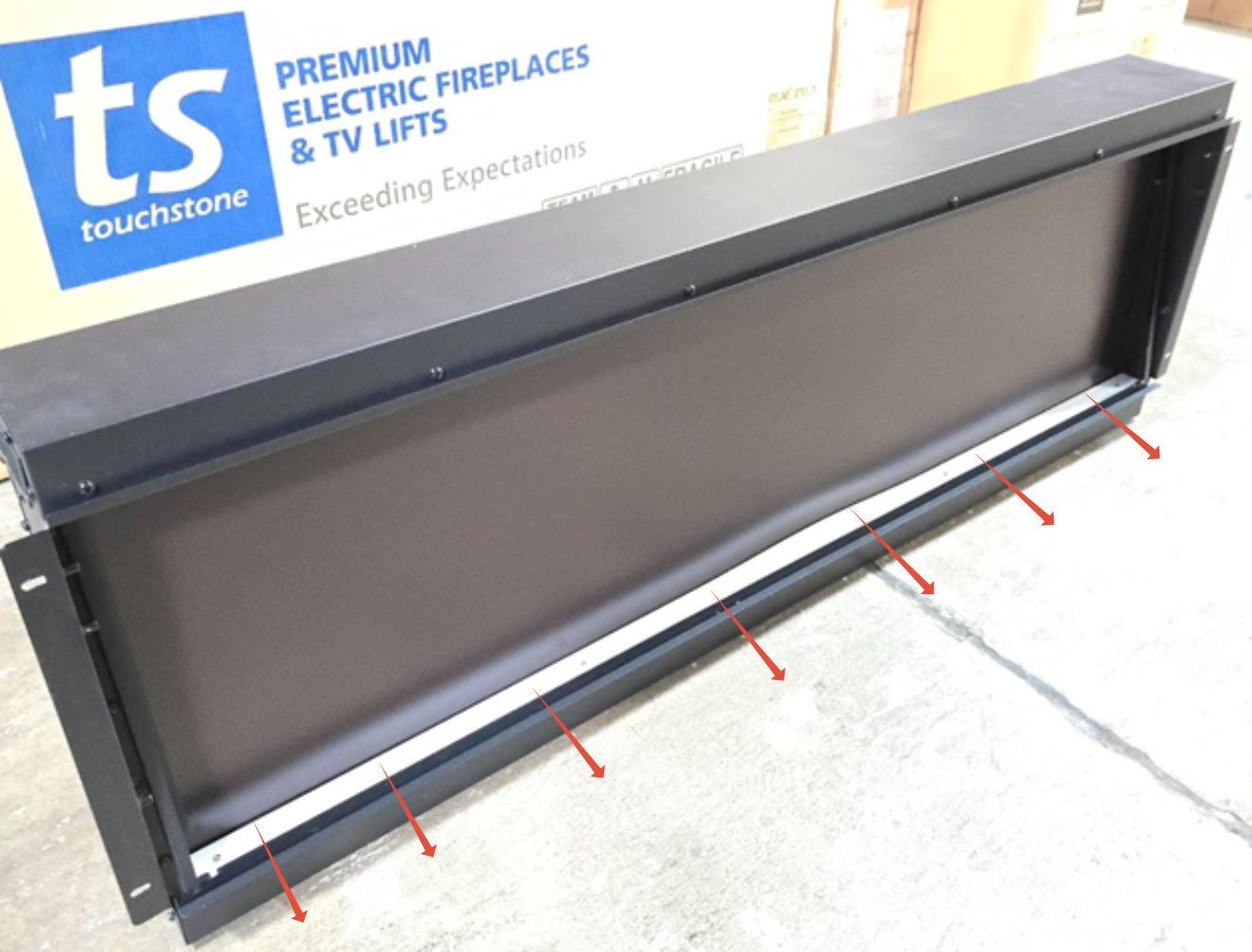
4. Once the unit is open, locate the LED Light strips.
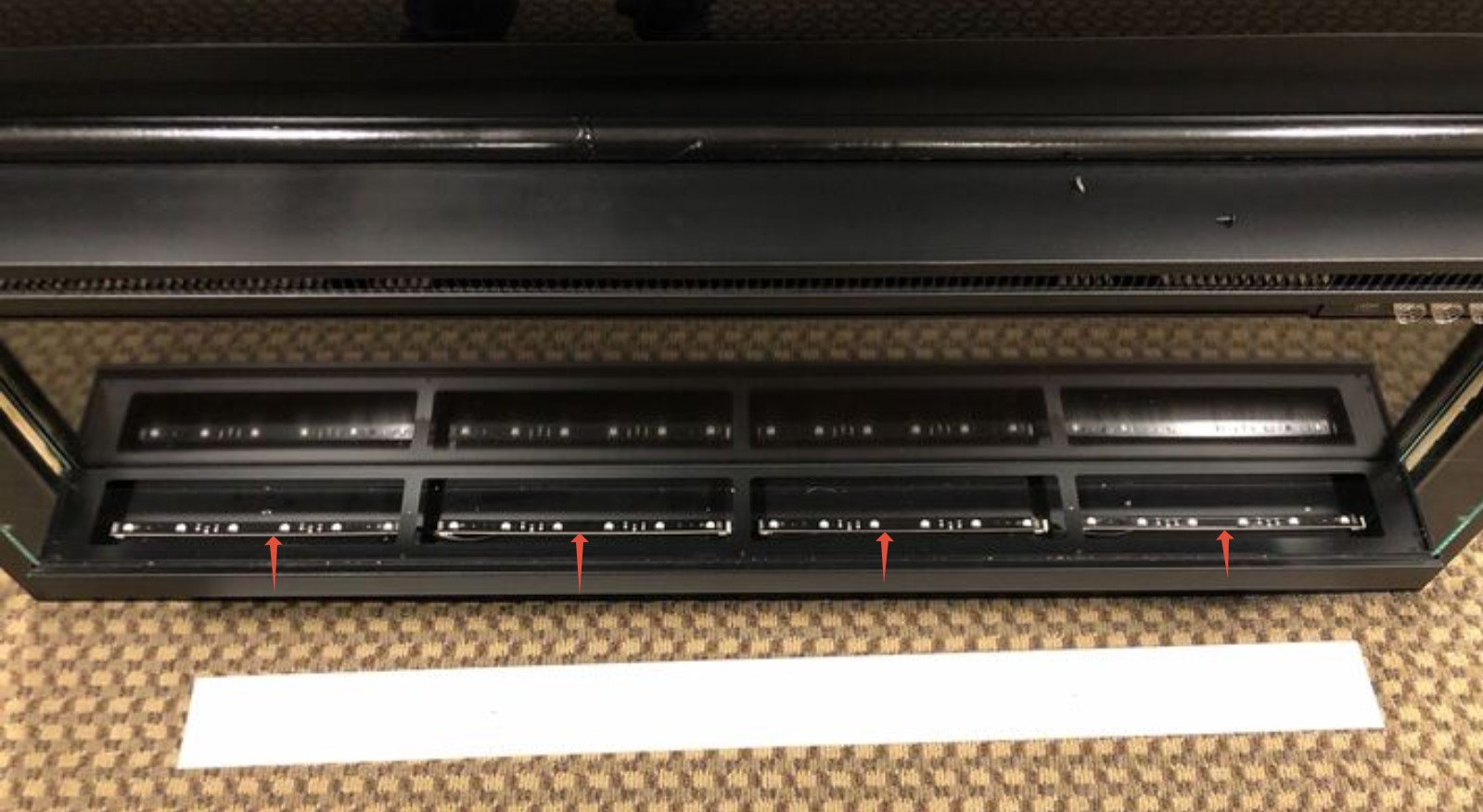
5. Check the connection for the defective strip to make sure the cable is connected properly to the strip.
6. Unplug the power connection from the failing light strip.
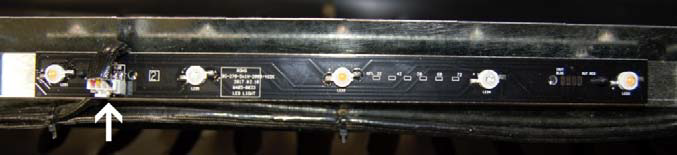
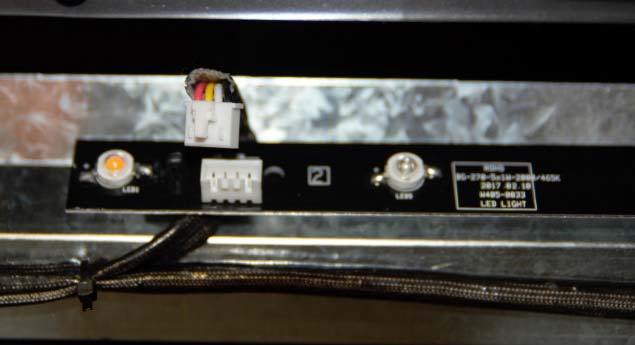
7. Once the light strip is unplugged, locate the 2 standoffs holding each light strip to the
fireplace frame.

8. Using a pair of needle-nose plyers, pinch each standoff and lift the light strip UP to
unhook the light strip from the standoffs.
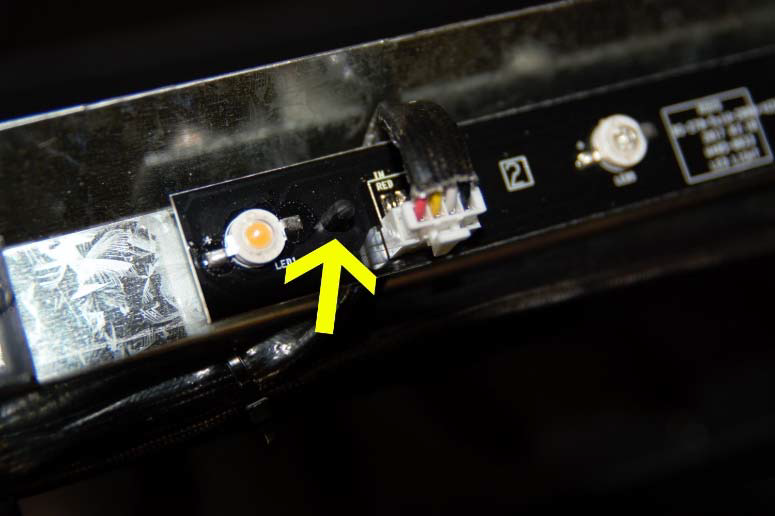
Light strip standoff
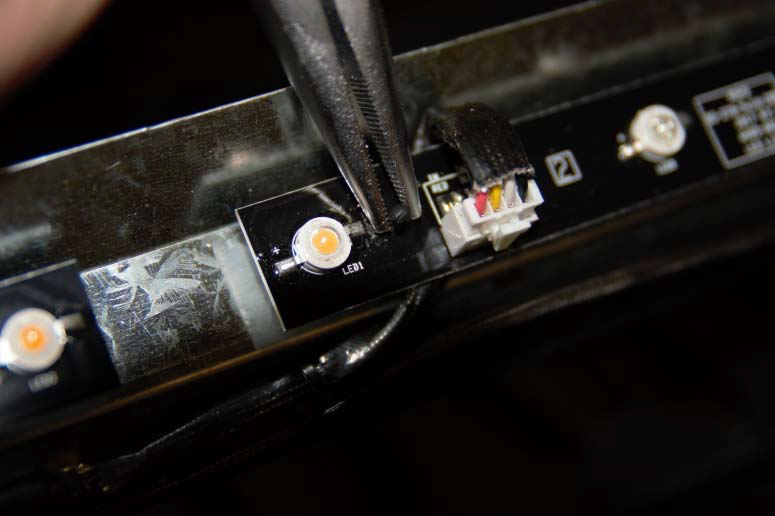 Pinch with needle-nose plyers and lift light strip UP to remove
8. Once the defective light strip is removed, install the new strip
9. Test the unit prior to putting it back together to ensure the lights are functioning properly.
10. Once the crystal strip is reinstalled, reinstall the log/crystals and front glass panel.
Need More Help?
Please contact our technical support team at 800-215-1990 for further troubleshooting or click the following link to file a support ticket: https://touchstonehomeproducts.freshdesk.com/support/tickets/new
Was this article helpful?
That’s Great!
Thank you for your feedback
Sorry! We couldn't be helpful
Thank you for your feedback
Feedback sent
We appreciate your effort and will try to fix the article