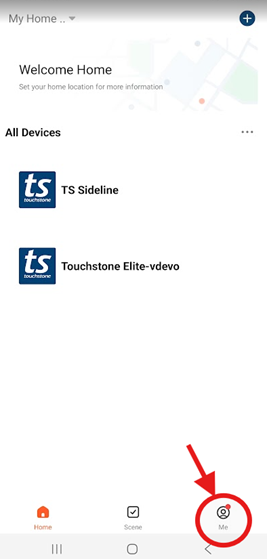
1. From the “My Home” page select the “Me” icon in the bottom right corner
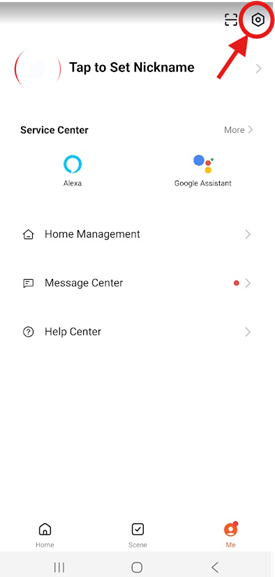
2. Tap on the  “Setting” icon located in the top-right corner.
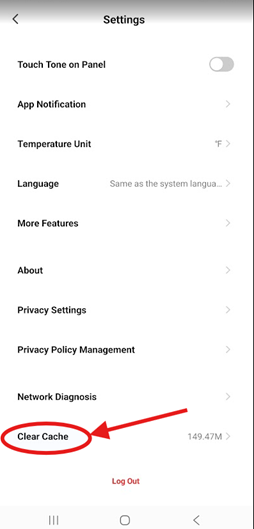
3. Tap “Clear Chache” option. This should clear app’s cache. Now, close and re-open the app to see if the problem you are having is now resolved.
Was this article helpful?
That’s Great!
Thank you for your feedback
Sorry! We couldn't be helpful
Thank you for your feedback
Feedback sent
We appreciate your effort and will try to fix the article