Problem: The LED light strips no longer work.
Resolution: Replace the flame\ember bed LED light strips
Models Supported:
80053 - Sideline Fury 46"
80054 – Sideline Fury 50"
80055 - Sideline Fury 57"
80056 - Sideline Fury 65"
Tools Required:
- Philips-head screwdriver
- Needle-nose plyers
Instructions:
1. Remove the glass panel:
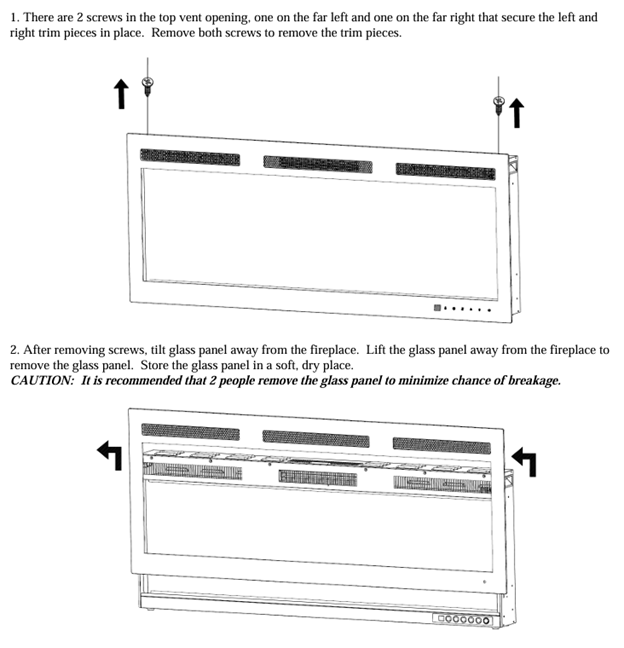
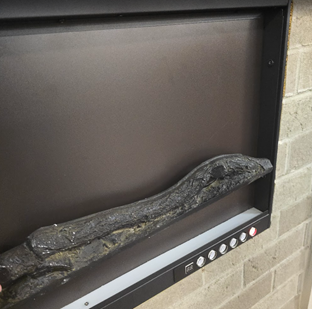
2. Remove the log or crystals:
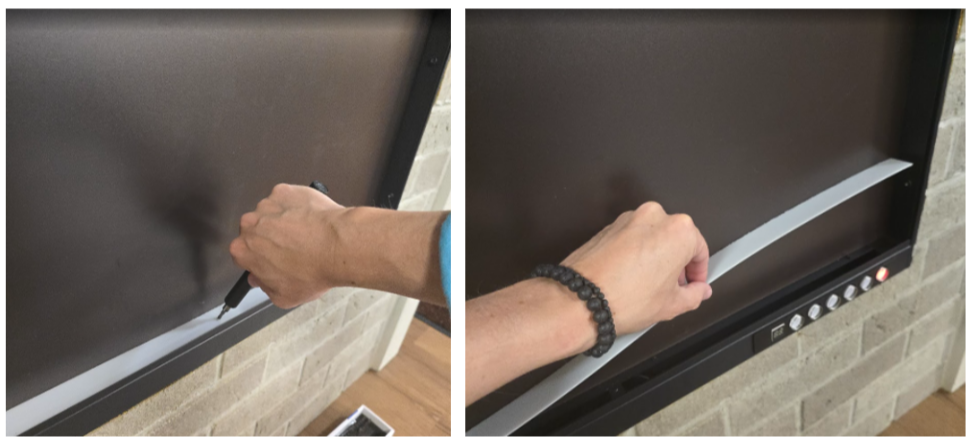
3. Unscrew, and remove the crystal strip:
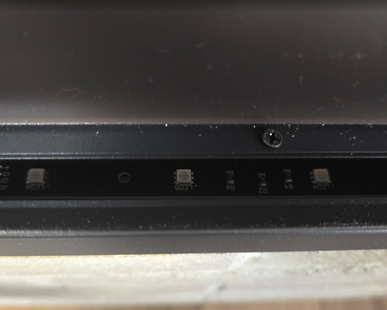
4. You will immediately see the ember bed light strip, but please continue to the next step:
5. Unscrew and remove the metal bracket that supports the display panel:
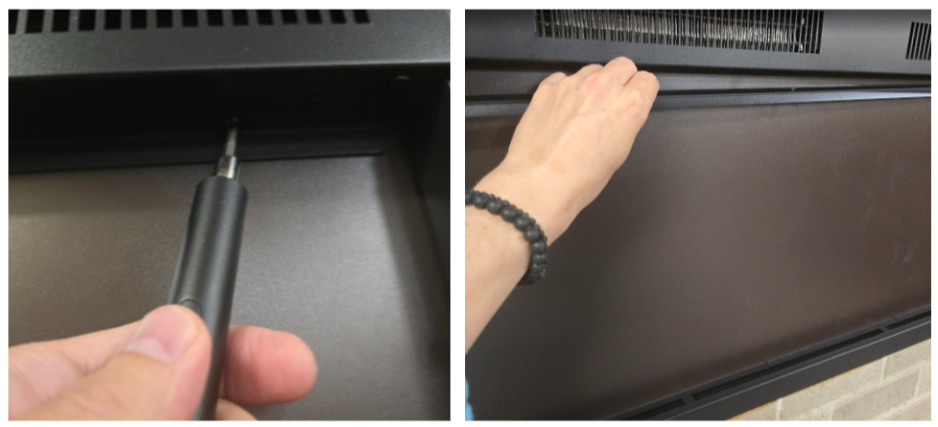
6. Gently pull the display panel in the middle and remove it from the fireplace:
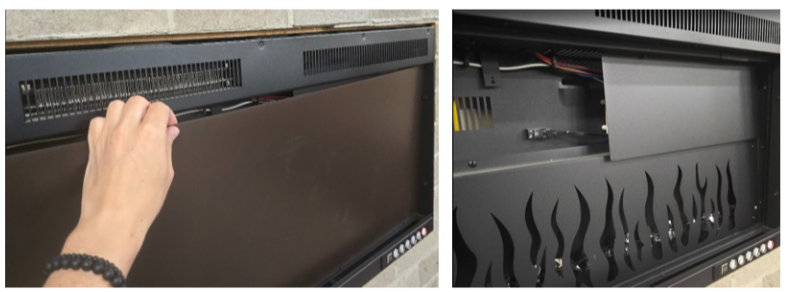
7. Unscrew, and remove the panel covering the control board:
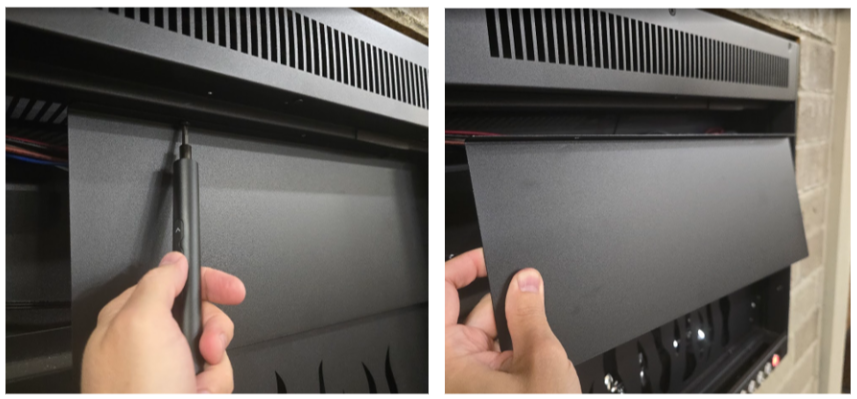
8. Unscrew and remove the metal flame panel:
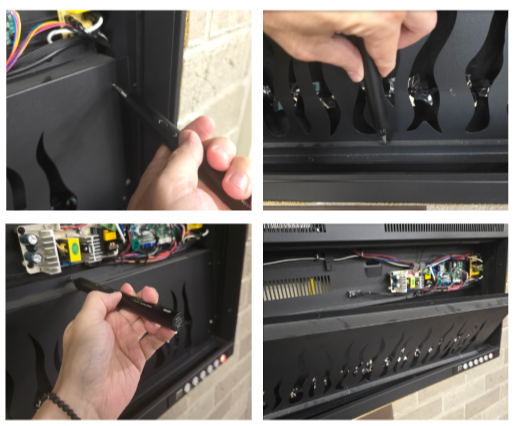
9. Unscrew, and remove the metal display support bracket:
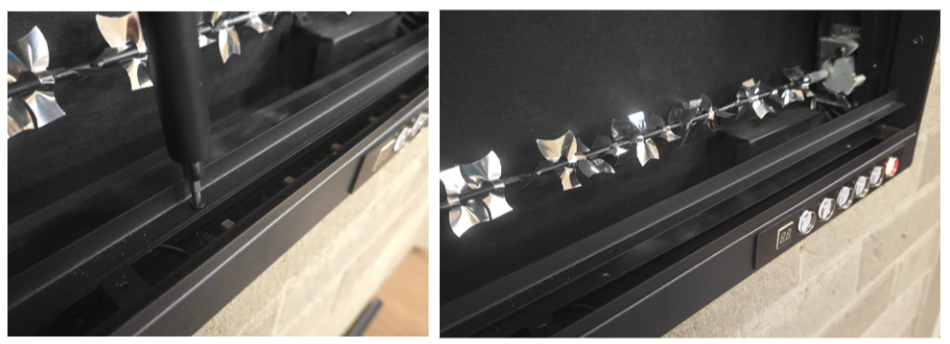
10. Unscrew, and remove the metal panel covering the LED light strips:
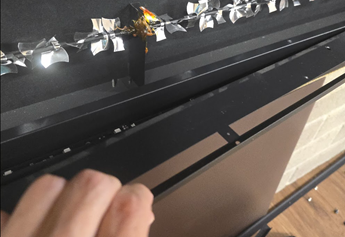
11. Now, you should have better access to the Ember Light Strips (in the front), and the Flame Light Strips in the back. You may need to supply a picture of your light strips to the Touchstone Support Team to obtain a compatible replacement. Please include the part number imprinted on the light strip you need.
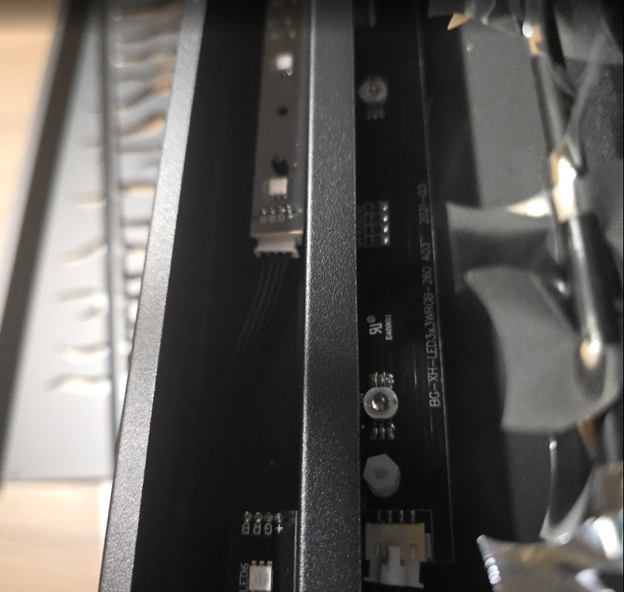
12. Unplug connectors connecting the affected light strips to the fireplace:
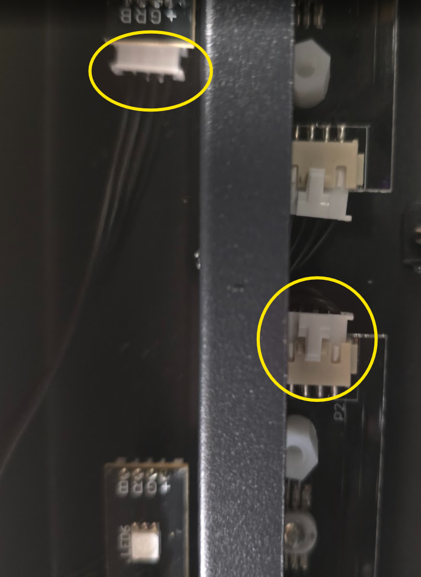
13. Using needle nose Plyers, pinch the stand-off holding the light strip, and replace it.
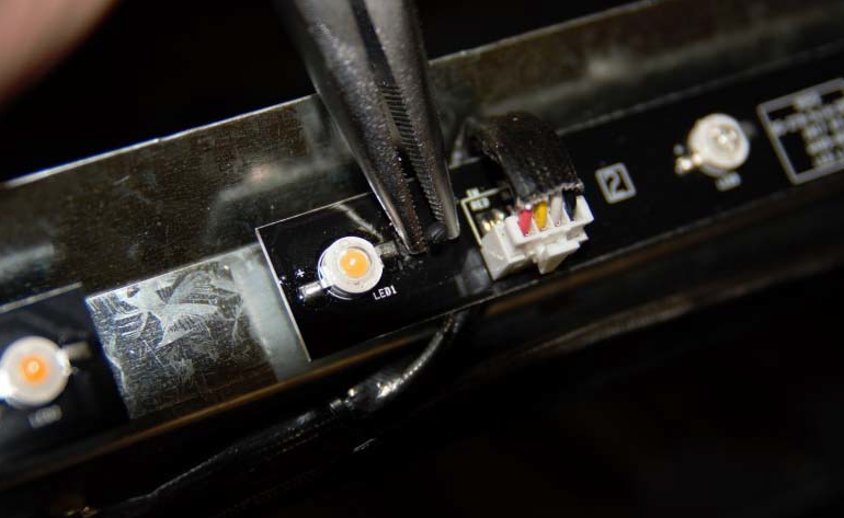
14. After replacing the lights strips, put everything together by following the steps above in reversed order.
Need More Help?
Please contact our technical support team at 800-215-1990 for further troubleshooting or click the following link to file a support ticket:
https://touchstonehomeproducts.freshdesk.com/support/tickets/new
Was this article helpful?
That’s Great!
Thank you for your feedback
Sorry! We couldn't be helpful
Thank you for your feedback
Feedback sent
We appreciate your effort and will try to fix the article