Problem: The Ember Bed LED light strips no longer work.
Resolution: Replace the flame LED light strips
.
Models Supported:
80004 - Sideline 50"
80006 - Forte 40"
80011 - Sideline 60"
80014 - Sideline 36"
80015 - Sideline 72"
80025 - Sideline 45"
80027 - Sideline 40"
80032 - Sideline 100"
80043 - Sideline 84"
Tools Required:
- Philips-head screw driver
- Needle-nose plyers
Instructions:
1. Unplug fireplace and remove from wall.
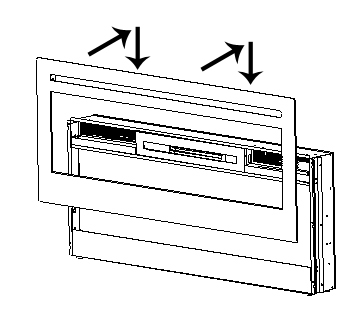
2. To remove the glass panel, please follow the instructions below:
There are 2 screws in the top vent opening, one on the far left and one on the far right, that secure the left and right trim pieces in place. Remove both screws to remove the trim pieces.
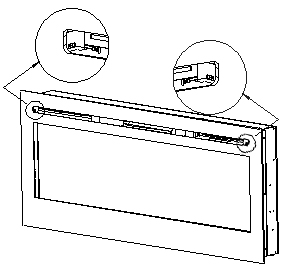
After removing screws, tilt glass panel UP and STRAIGHT OUT toward you to remove from fireplace.
CAUTION: It is recommended that 2 people remove the glass panel to minimize chance of breakage
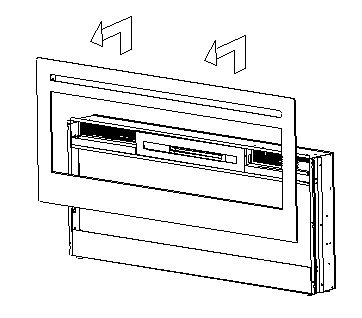
3. Place the glass panel in a soft, dry place.
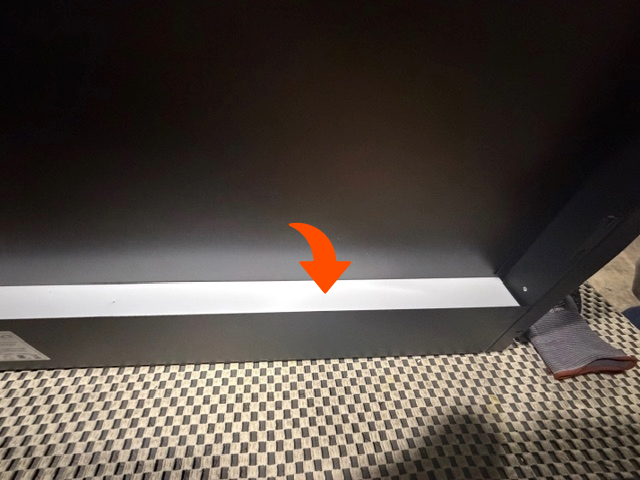
4. . Remove the Crystal Strip by unscrewing the screws.
5. Remove the light strips using plyers to release the connectors.
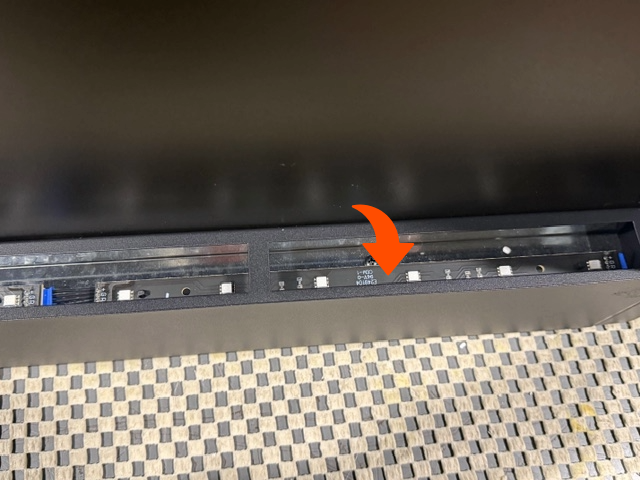
6. Install the new light strips and test.
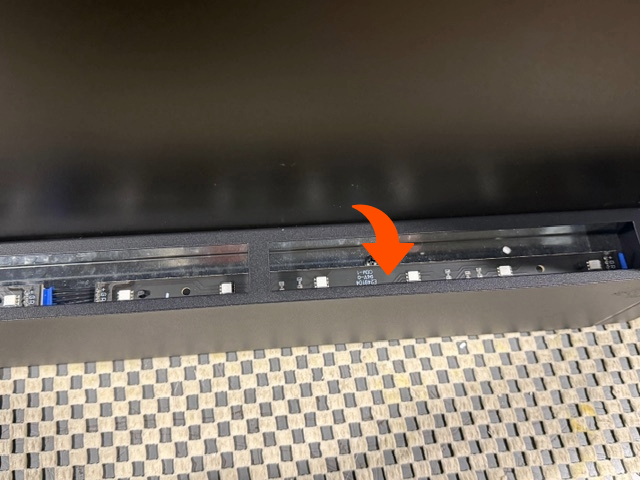
7. Install the crystal strip.
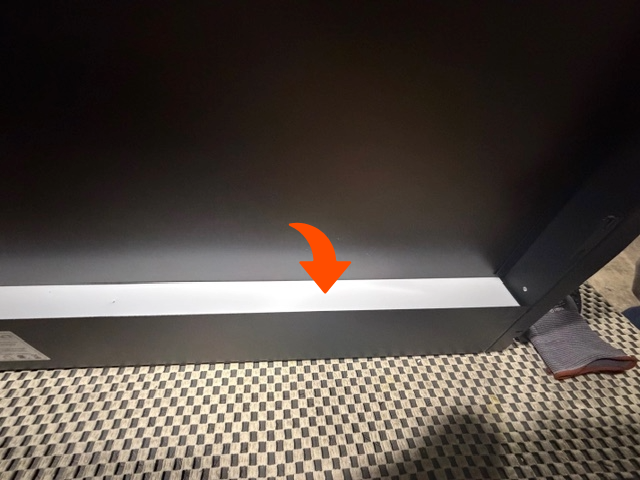
8. Once you have installed the crystal embers or fire log, you are ready to reinstall the glass panel
1. The hooks on the back of the glass panels fit into the slots on the side of the firebox.
2. Once fitted in the slots, the glass panel goes down and locks into place.
3. You do not need to re-install the screws as they are for shipping purposes only
Need More Help?
Please contact our technical support team at 800-215-1990 for further troubleshooting or click the following link to file a support ticket:
https://touchstonehomeproducts.freshdesk.com/support/tickets/new
Was this article helpful?
That’s Great!
Thank you for your feedback
Sorry! We couldn't be helpful
Thank you for your feedback
Feedback sent
We appreciate your effort and will try to fix the article