Problem: The Flame lights on the fireplace stopped working.
Solution: Change the LED light strips.
Models Supported:
80033 - White 50" Chesmont Fireplace
80034 - Black 50" Chesmont Fireplace
Tools Required:
- Philips-head screw driver
- Needle-nose plyers
Instructions:
- Turn Off Chesmont Fireplace and unplug the power cable from the outlet.
2. Remove the fireplace from the wall.
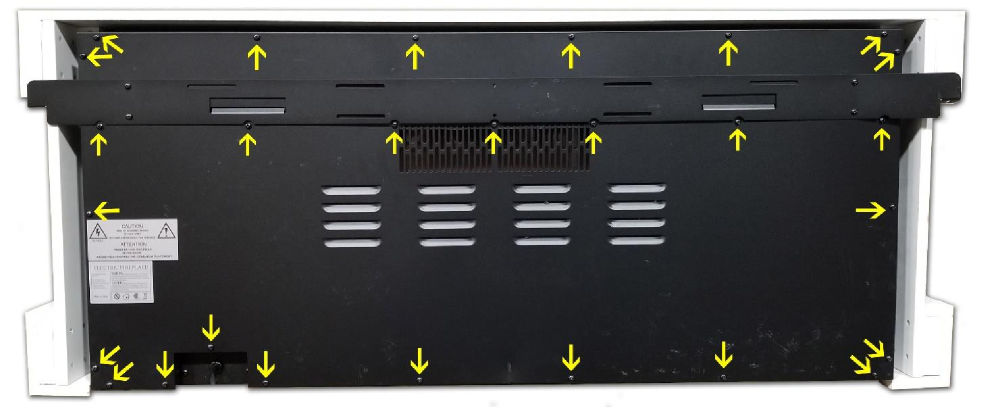
3. Remove the screws shown below to remove the back panel from the fireplace.
4. Once the back panel is removed, locate the LED Light Strips.
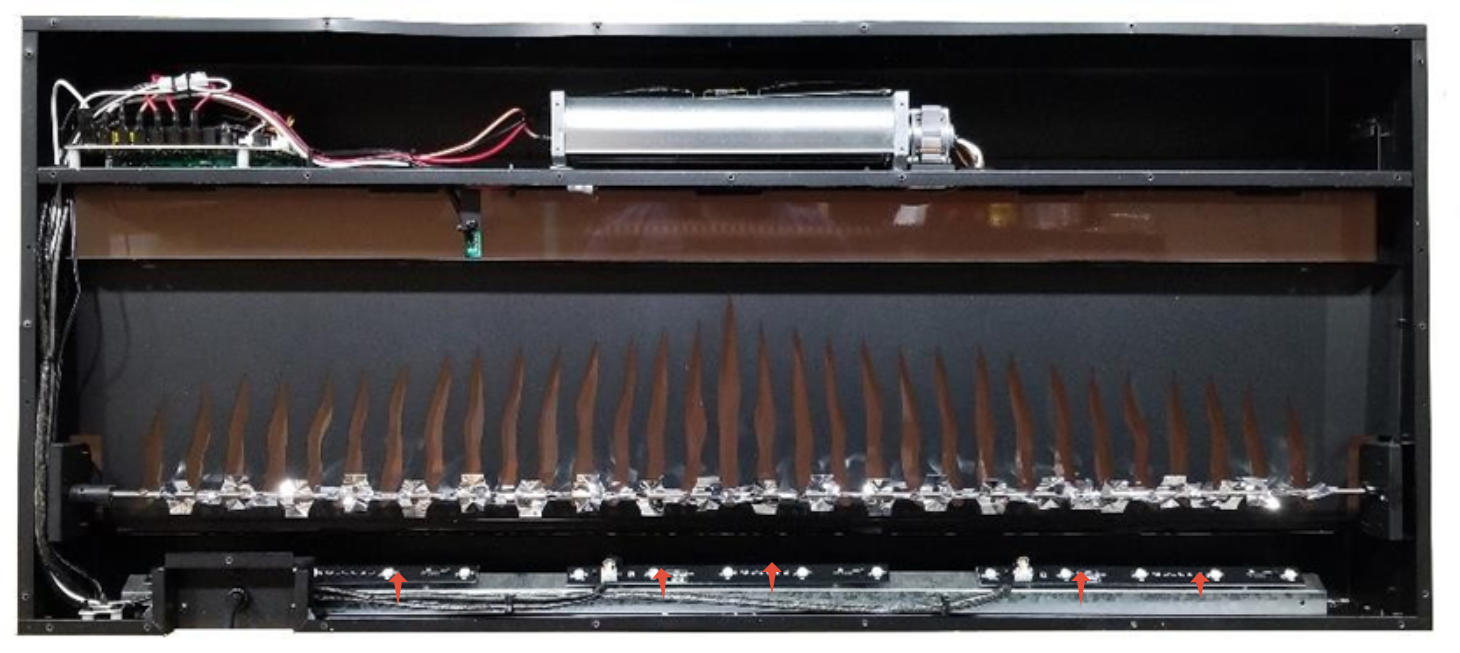
5. Remove the defective light strip and install the new light strip.
6. Test the unit before putting the back panel back on.
Need More Help?
Please contact our technical support team at 800-215-1990 for further troubleshooting or click the following link to file a support ticket:
https://touchstonehomeproducts.freshdesk.com/support/tickets/new
Was this article helpful?
That’s Great!
Thank you for your feedback
Sorry! We couldn't be helpful
Thank you for your feedback
Feedback sent
We appreciate your effort and will try to fix the article