This guide explains how to replace the display panel on Sideline Series Electric Fireplaces.
Models Affected:
80004 - Sideline 50" Electric Fireplace
80011 - Sideline 60" Electric Fireplace
80014 - Sideline 36" Electric Fireplace
80015 - Sideline 72" Electric Fireplace
80032 - Sideline 100" Electric Fireplace
80043 - Sideline 84" Electric Fireplace
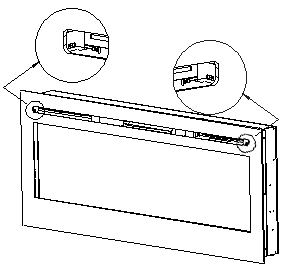
1. Unscrew two screws securing the glass panel (one on each side) and remove the glass panel from the fireplace.
2. Once the glass panel is removed, remove the media (logs, crystals) and locate the metal strip securing the back panel. Remove the screws holding the metal strip in place.
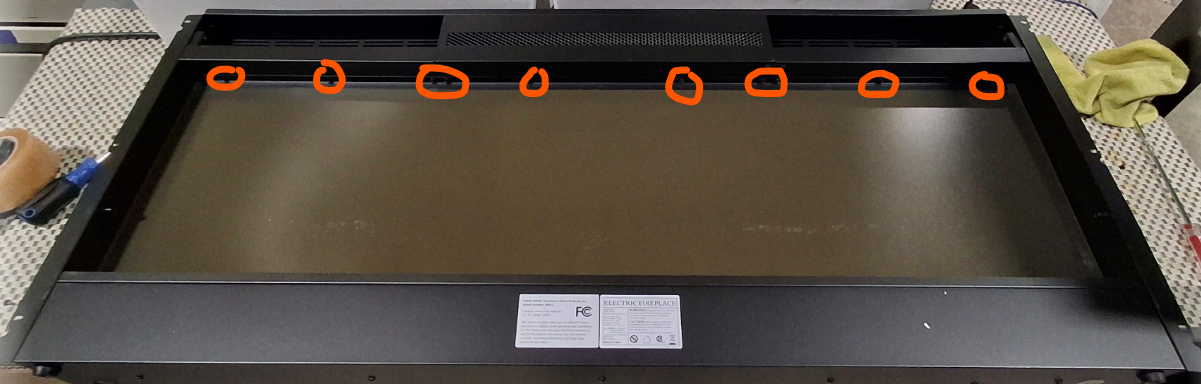
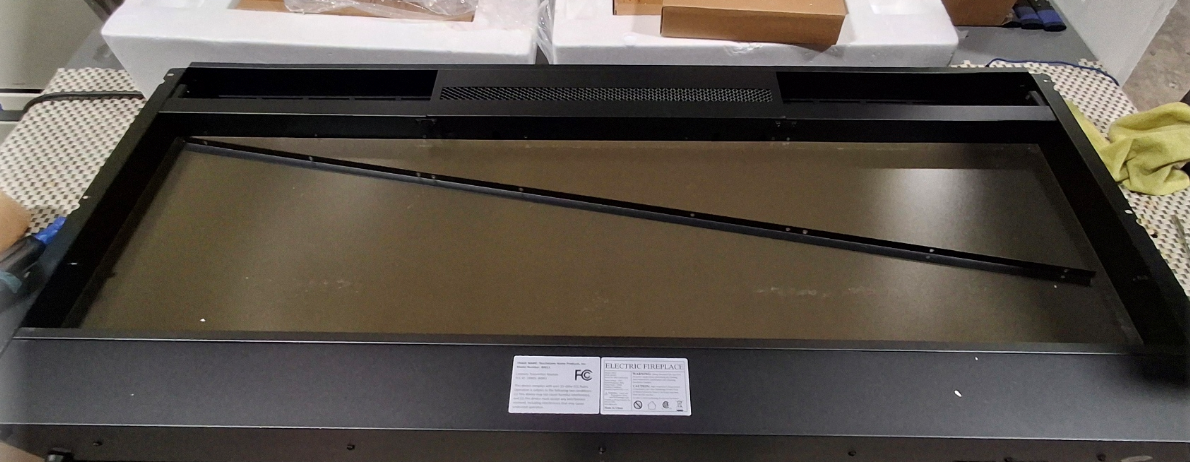
3. Tilt the flame display panel away from the fireplace and remove from the fireplace.
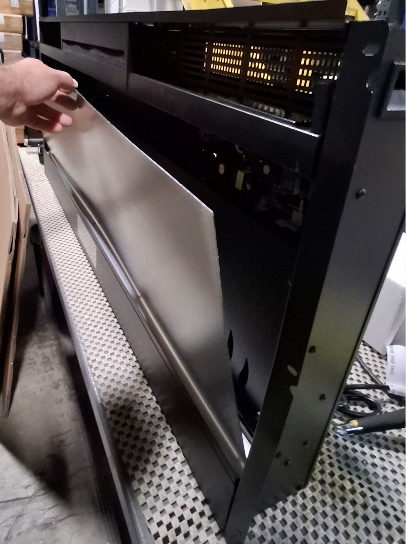
4. Place the new panel in place and re-secure the metal strip holding the display panel in place.
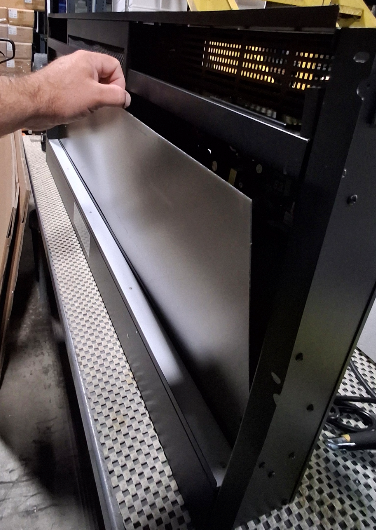
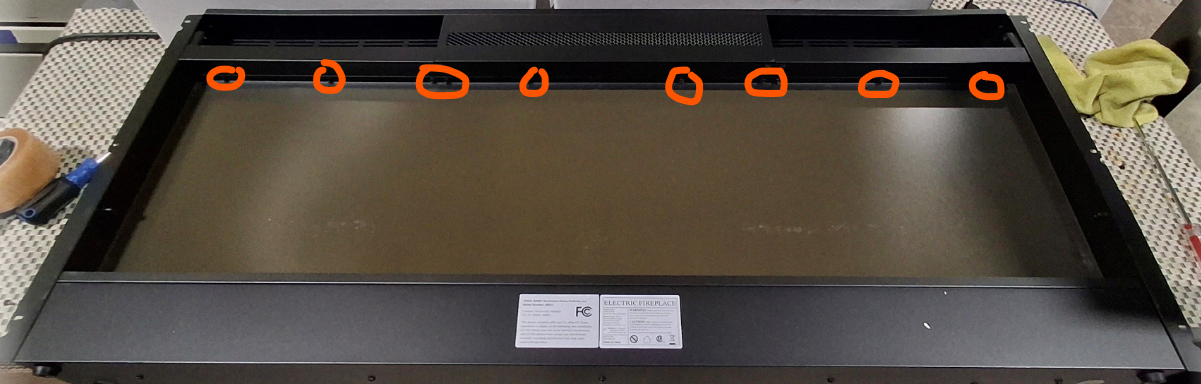
5. Once the new panel is in place, test the fireplace to be sure it is working properly and reinstall the glass panel.
If you have any questions please contact our technical support team at 800-215-1990 for further troubleshooting or click the following link to file a support ticket: https://touchstonehomeproducts.freshdesk.com/support/tickets/new
Was this article helpful?
That’s Great!
Thank you for your feedback
Sorry! We couldn't be helpful
Thank you for your feedback
Feedback sent
We appreciate your effort and will try to fix the article